05 March, 2014

Wat Chalong Temple Driving Directions Map GPS

Wow! Just stunning. If you're planning to travel to Phuket, Thailand, you have to see the Chalong Temple (Wat Chalong).

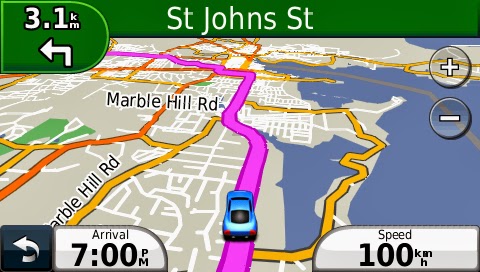
Our Thailand GPS Navigation map will give you turn by turn driving directions to the Chalong Temple, with voice and map guidance. Our maps will work on any Garmin or iPhone. The Garmin maps are available in the GPS Travel Maps store and our iPhone Thailand GPS Navigation map is available in iTunes. The maps have one way streets marked, street names, points of interest, cities and much more.


There are 2 options for Garmin owners: 1) purchase a memory card to insert into your Garmin or 2) download the map and follow these instructions: http://www.gpstravelmaps.com/instructions.php

You will not need to use your data plan to use our navigation on your iPhone. The GPS Travel Maps Thailand GPS map fits on your phone so you will not need to download anything while in Thailand.


Other available GPS Maps from GPSTravelMaps.com - 

Africa
Egypt
Mt. Kilimanjaro
Madagascar
Morocco
Asia
Cambodia
Hong Kong
Laos
Malaysia
Myanmar
Sri Lanka
Thailand
Vietnam
Oceania
Fiji
Guam
New Zealand
Caribbean - South
Anguilla - Try Free!
Antigua & Barbuda
Aruba
Barbados
Bonaire
Curacao
Dominica
Grenada
Guadeloupe
Martinique
Montserrat
St. Kitts & Nevis
St. Lucia
St. Martin
St. Vincent & Grenadines
Trinidad & Tobago
Virgin Islands
Caribbean - North
Cayman Islands
Cuba
Dominican Republic
Haiti
Jamaica
Turks & Caicos
Central America
Belize
Costa Rica
El Salvador
Guatemala
Honduras
Mexico
Nicaragua
Panama
Middle East
Qatar
United Arab Emirates
Yemen
South America
Ecuador
Fortaleza, Brazil
Peru
Indian Ocean
Madagascar
Maldives
Seychelles
Sri Lanka
Europe
Croatia
Mapsets / Bundles
Caribbean Mapset
Caribbean North
Caribbean South
Central America Mapset
Central America North
Central America South
Southeast Asia

04 March, 2014

Virgin Island GPS Map for Car Rental

Driving in the Virgin Islands is a pleasant experience.  Unlike many other regions of the country, adherence to traffic courtesy on the islands it typically very good.  The British Virgin Islands do require a temporary drivers permit during your visit.  If you are driving in the US Virgin Islands, a drivers license that is honored in US territories will suffice for your travels.

The islands provide a multitude of activities to keep just about any traveler occupied.  TripAdvisor provides a respectable list of activities and places to see while visiting.

Visitors wishing to rent a vehicle have the option to rent from all the major car rental companies as well as a few smaller companies.  Most companies provide rental services such as car seats for children and GPS units.  Bringing your own car seats and GPS will save you both time and money!

GPSTravelMaps.com has updated their maps of the Virgin Islands with more than 100 new Points of Interest!  We provide users with accurate turn-by-turn GPS navigation for all the islands and can get you to your destination in a quick and efficient way while allowing you to enjoy the beauty of the islands.
Virgin Islands, GPS, Garmin, Nuvi, Caribbean, Map

Please see our images below and click on the purchase button to obtain this map for your Garmin.

Map, Garmin, GPS, Nuvi, Virgin Islands
Car navigation in the Virgin Islands

Comprehensive map details throughout the Virgin Islands

Many points of interest for you use within the map

Hotels, Restaurants, Fuel and more types of Garmin map POIs


11 February, 2014

Aruba GPS Map for Garmin Nuvi updated

The Aruba GPS map has been updated with the latest information available including more hotels, restaurants and attractions.  The geography team at GPSTravelMaps.com has also focused on improving geographic features by realigning road for better accuracy, improving coastline features for better display of water features and making Tierra del Sol golf course look just a bit nicer on the GPS screen.

Version 1..5 of the Aruba map for Garmin includes the following:
•  Added 5km of new roads.
•  Added 2km of oneways.
•  Added 18km of road names.
•  Added 51 new POIs.
•  Added telephone, email, website and more details to POIs.
•  Improved road geometry throughout Aruba.
•  Improved ocean geometry.
•  Improved navigation.

The following screenshots illustrate the level of detail within the Aruba GPS map.
Map, Kaart, Aruba, GPS, Garmin

Aruba, Map, GPS, Nuvi, Garmin, TomTom, Magellan


The Aruba GPS Map is a great tool to have with you as you explore the island and relax! You can purchase the map through our secure online store.
GPS, Travel, Maps, Garmin, Nuvi

Trip and Route Planning Advice for your Garmin GPS

What to do when your GPS 'wigs out'!

We all love technology (especially Kip). Except when it's not doing what we think it's supposed to. A GPS can be one of these "technological hazards" but there are ways to prevent a problem and also to prepare for the possibility of one. Here are a few tips for finding success using your GPS to enhance your travels rather than being caught at the mercy of the unpredictable.

1. Know how to use your GPS.  This may seem very elementary but it is important. Be sure to read your GPS owner's manual before traveling. And then it might be a good idea to take it with you just in case. Your GPS is a technological device and unforeseen problems like trouble locating satellites, or searching in the wrong city are a reality; but your owner's manual has troubleshooting guides for just such problems that can get your device back in working order quickly.
Nuvi, Instructions, How to, Garmin, etrex

2. Check your GPS settings. You can choose to have your GPS select routes based on several factors. You can choose to use main roads whenever possible, or to route according to least mileage, or according to fastest time. Make sure you have selected the option that fits your needs and desires.

3. Plan your routes and stops in advance. The GPS can be really nice to have, but it doesn't replace good ol' study and logic. You never know when map data or programming could have a kink in it or be outdated and the route takes you in a strange direction. Most of the time maps will have just what you need, but problems can occur. Make sure you know where you are going and how you want to get there before you start so you won't be caught off guard if your GPS is inaccurate.

4. Pre-Plan back up routes and stops. My husband and I pulled into quaint Copan, Honduras one evening excited to stay at this bed and breakfast we had read about in a guidebook.  Before our trip we had put the B&B's lat/long coordinates into our Garmin GPS and found that it was already on the GPSTravelMaps.com Central America map. We saved it and a few other hotels of interest to our "Favorites" on the Garmin so we could easily find them again.  When it came time to navigate to the B&B the Garmin led us to the coordinates flawlessly! The only problem was when we pulled up we discovered that no where in the vicinity of those coordinates was there a B&B. It appeared that it simply no longer existed.  It was getting dark and neither of us had been to Copan before, so thank goodness we had other hotels also in our "Favorites." The first one we routed to was fortunately still in business and ended up being one of our favorite places to stay that trip. 

                                               Sunrise in Copan, Honduras

Changes in businesses, roads, construction and more can catch you unaware, but if you have studied out your route and destination options beforehand you will be able to find the best way around any "roadblock" you might find.

5. Save your planned routes and waypoints as favorites. Saving points and routes in advance not only makes it easier to find them again when you are actually ready to route to them, but it also allows you to make sure that the point is already marked on your map. Especially when traveling internationally be sure you know in advance what points are marked on your map. And if a point isn't marked already you can mark it by saving it as a waypoint. 

It's quick and easy to save waypoints on your GPS. Just touch a location on the map and hit "save." Give the point a name and it automatically saves to your "favorites." You can do the same thing in Garmin Basecamp on your computer and Basecamp also lets you save routes.  Then just load your map to your GPS again and your saved points and waypoints will load with it. Or if you are using a GPSTravelMaps.com map simply send us an email, let us know what location is missing and we'll add it to our map for you and send you an update free.


6. Be aware and use common sense. You may find sometime that your GPS voice navigation is telling you to turn one way while the actual map is showing to turn the opposite way (Happened to me in North Carolina). Your GPS may direct you to go down a one-way street the wrong way (Been there in Texas). Or it may recalculate a route for you and show some really odd and inefficient way to get where you want to go. The beauty is, it doesn't really matter! You are smarter than that machine. You can turn off the voice navigation, you can read road signs and follow them instead of the GPS, and if you've studied your routes beforehand you will know better than the GPS how to get back on track if you are rerouted.  Just be aware and think through each situation. Then use your best judgment to make a decision on where to go and how to get there. The GPS has no control over you. The opposite is true - you are in charge of the GPS and how you allow it to assist you. 

Here's to you and your next travels with your GPS! Be sure to make sure you have an updated map for your destination. We can help you with that at gpstravelmaps.com or send us an email at support@gpstravelmaps.com 


13 January, 2014

Car navigation in Antigua & Barbuda with a Garmin Nuvi

Renting a car in Antigua and Barbuda is a great way to explore the islands and provides you the freedom to explore as your own pace.  There are many car rental agencies that provide cars from $30-$50 per day.  GPSTravelMaps.com provides a highly detailed map that will give you accurate navigation throughout the island.  Users have praised the map as being essential for their holidays.

Antigua, map, mapa, carte, Barbuda
Purchase and Install now

Below are various images of the map illustrating the detail contained within it.

Nuvi, Garmin, Antigua, gps, car, navigaiton, driving, rental

Antigua, map, carte, kaart, mapa, nuvi

Barbuda, garmin, gps, map, nuvi, travel

Garmin, gps, nuvi, map, Antigua, Barbuda, caribbean

04 December, 2013

Costa Rica GPS Map - Garmin, TomTom, Magellan

Costa Rica is a highly desirable travel destination.  GPSTravelMaps.com has been providing detailed and accurate GPS maps for the country for over 5 years now.  The map contains over 13,900 km of navigable roads, over 12,500 unique points of interest and other geographic features such as rivers, lakes, parks, golf courses, cemeteries, building outlines and more.

The map can be loaded onto your Garmin GPS within minutes using the link below.

Costa Rica GPS Map Purchase Link
Below are some recent screen grabs from version 5.6 of the Costa Rica map.

Costa Rica, GPS, Garmin, Map, Mapa
Accurate navigation throughout Costa Rica

Map, GPS, Garmin, Mapa, San Jose, Costa Rica, TomTom
San Jose, Costa Rica Road and Point of Interest
Drake, Drake Bay, Osa, Osa Peninsula, Costa Rica, Map, Mapa
Drake Bay, Osa Peninsula Map

La Fortuna, Arenal, Garmin, TomTom, Map, Mapa
Arenal and La Fortuna GPS Map

Garmin, Playas, Playas del Coco, Costa Rica, Hotels, Map
Playas del Coco Map

Tamarindo, GPS, Garmin, Map, Mapa
Tamarindo Roads and POIs

Puntarenas, Costa Rica, Uvita, Dominical, Jaco, Malpais, Nosara
Costa Rica Car Rental Users Benefit from Accurate Map Navigation

Malpais, Costa Rica, Surfing, Surf, Camp, Puravida, paddleboard
Malpais, Costa Rica Map. Useful to traveling surfers

20 November, 2013

Antigua Barbuda GPS Map - Garmin, TomTom, Magellan

GPSTravelMaps has released a substantial update for the Antigua Barbuda GPS Map.  This map includes 160 new Points of Interest many of which have detailed information such as telephone and fax numbers, website and email addresses as well as Facebook and Twitter details.  In addition, the updated Antigua map has updated roads to improve and make navigation easier in the island, providing the user with the best navigation throughout Antigua.

The map is available to purchase online through our secure webstore.

http://store.gpstravelmaps.com/Barbuda-GPS-Map-p/barbuda.htm&click=1475

Below are various screenshots of the Antigua & Barbuda GPS map in Garmin Basecamp.

Garmin, GPS, Nuvi, Map, Antigua, St. John's, TomTom, Magellan
Accurate road navigation in Antigua

GPS, Nuvi, Garmin, Antigua, Barbuda, Map
Points of Interest in St. John's, Antigua
Below are various screenshots within a Garmin Nuvi GPS unit.


29 October, 2013

Dominica GPS Map - Garmin, TomTom, Magellan

GPSTravelMaps offers a complete map of the commonwealth of Dominica.  The latest map update includes over 42 km of new roads as well as extensive detail in hiking trails.  Dominica is well known for both its hiking and also its diving locations.  The map is currently available on the Garmin GPS platform.  If you have a TomTom or Magellan GPS you can receive a 10% discount until we are able to provide maps on those platforms.  Contact support for more information.

The map is available to purchase online through our secure webstore.

Dominica, GPS, Map

Below are various screenshots of the Dominica GPS map in Garmin Basecamp.
GPS, Dominica, Map, Caribbean, Mapa, Carte, Garmin, TomTom
Island of Dominica

Nuvi, Garmin, etrex, Magellan, TomTom, Dominica, GPS, Map
Portsmouth region of Dominica

Car, Scooter, Rental, GPS, Map, Mapa, Carte, Karte, Nuvi, Garmin
Car navigation in Dominica

Map, GPS, Garmin
Roseau, Dominica GPS map